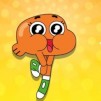
Super Disc Dual 2
 Brainrot Craft
 Italian Brainrot Obby Parkour
 Italian Brainrot Clicker
 X Trench Run
 Race Survival
 Rocking Sky Trip
 Box Simulator: Brawl Stars
 Brawl Stars Leon Rush
 Brawl Warfire Online
 Rainbow Obby
 Crazy Bikes
 Jump Only
 SuperBattle 2
 War Master
 Tag 2
Tag 2
 Ping Pong Go
 Blumgi Dragon
 Blumgi Merge
 Blumgi Paintball
 Just Fall LOL
 Drive Mad
 Cubes 2048
 LOLBeans.io
 Fixing Time
 Ninja Parkour Multiplayer
 Ragdoll Hit
 WormsZone io
 Crazy Cars
 Zombie Rush
 Sugar Heroes
 Jumping Shell
 Kiwi Clicker
 Vex X3M
 Tile Guru
 Level Devil
 Super Falling Fred
 Pocket Battle Royale
 Super Puzzle RPG
 Tomb Of The Mask
 Idle Lumber Corp
 Happy Hop Online
 Cave Blast
 Hammer Master io
 Blumgi Slime
 Duo Vikings 3
 Basketball io
 Dino Bros
 Duck Duck Clicker
 Go Escape
 Mophead Dash
 Tower Defense
 Merge Arena
 2048 Pizza
 Soccer Skills Champions League
 Basketball Fury
 Hexblade
 Fairyland Merge & Magic
 Run Kaiju Run
 Chess Grandmaster
 Arctic Pong
 Tumble Towers
 Bonanza Shooter Bubble
 Table Tennis Ultra Mega Tournament
 Villains Unite
Intriguing gameplay of Super Disc Dual 2
Are you ready for thrilling disc battles in Super Disc Dual 2? Throw the disc at your opponent's goalpost until your rival fails to make contact with it.
Interesting game modes
Like Ping Pong Go, this game also offers many game modes. You can select between three game modes with different playing rules.
- Arcade Mode: This is the first game mode that requires you to complete 15 levels. At each level, you must join a flying disc match with a CPU player. Your mission is to throw the disc at your rival's goalpost to score more points than your opponent. Besides, when your enemy tries to strike the disc, you should stop him. The allotted time is 59 seconds. Therefore, try to earn the highest score before the time is over.
- Endless Mode: This game mode offers an endless flying disc match.
- Versus Mode: This game mode allows you to invite your friend to participate in a thrilling flying disc match.
Unlockable characters
The characters in this game were inspired by those in Cartoon Network. As you progress through the game, you have the opportunity to unlock 30 unique characters, including fan favorites such as Gumball, Finn, Ben, Blossom, Buttercup, Anais, Richard, Darwin, Mordecai, Ice Bear, Grizzly, Panda, and many more. To unlock these characters, players must complete various levels throughout the game, adding an exciting layer of motivation to continue playing.
Controls
PLAYER 1
If you want to run around, use the WASD keys.
If you want to throw your disc in a vertical direction, use a V key.
If you want to throw the disc in a zigzag direction, use the S/ W + V+B keys.
If you want to throw the disc high, use a B key.
If you want to use your strong power to throw the disc, use the B and V keys.
PLAYER 2
If you want to run around, use the arrow keys.
If you want to throw the disc in a vertical direction, use a K key.
If you want to throw the disc in a zigzag direction, use the right-left arrow keys + K + L keys.
If you want to throw the disc high, use an L key.